
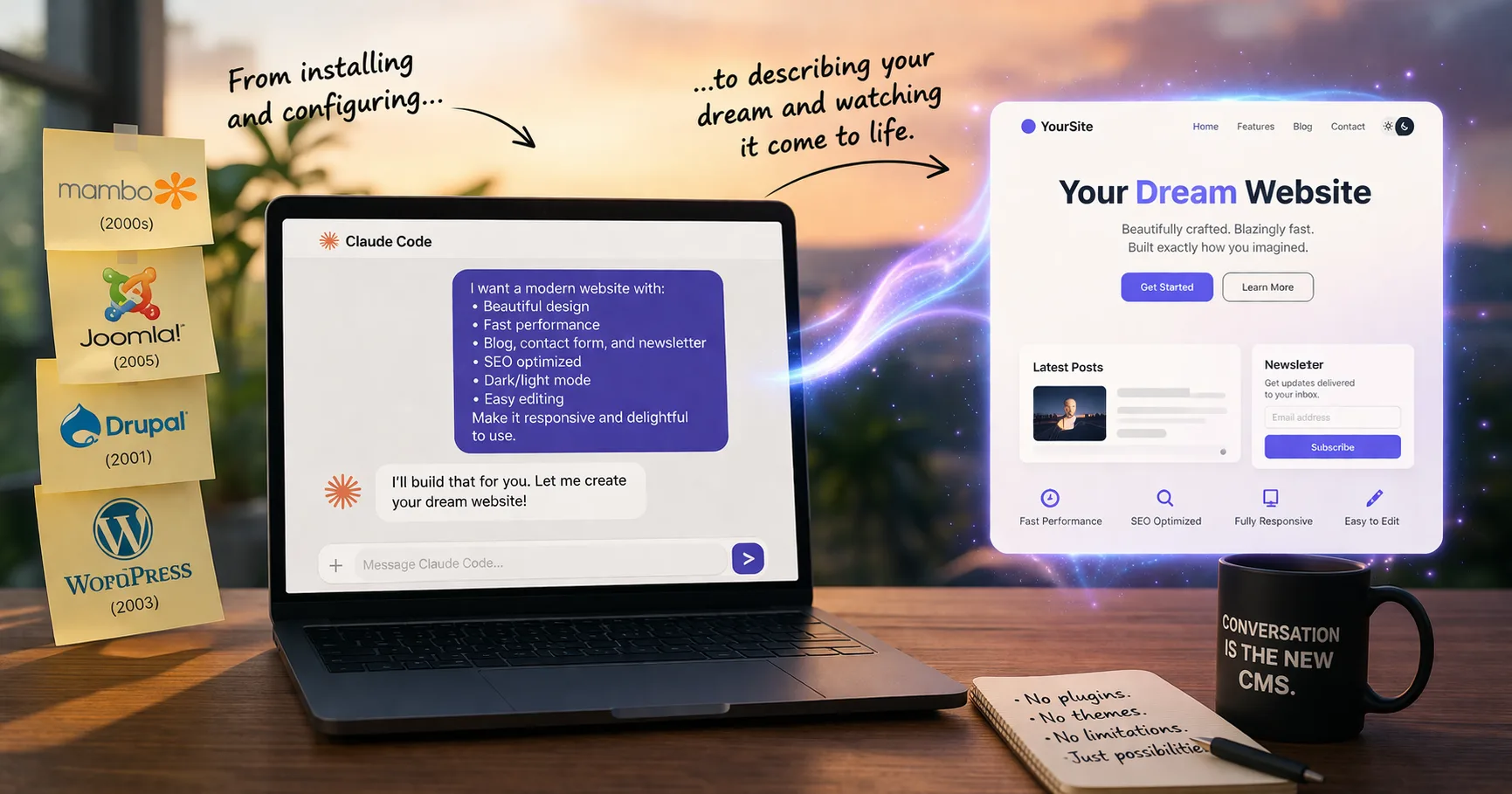
After twenty years of building on content management systems, I’ve stopped reaching for one first. AI coding tools like Claude Code now let you describe what you want and generate the system directly — without installing a platform, stacking plugins, or wrestling with themes. For most projects, the CMS layer has become unnecessary overhead.
After twenty years of building websites inside content management systems, I’ve stopped reaching for one first. Tools like Claude Code now let you describe what you want and generate the system directly, without installing a platform, wiring up themes, or stacking plugins. For a growing share of projects, that approach is faster, cleaner, and more flexible than starting with a CMS, and the gap is widening every month.
For most of my career, building anything on the web meant choosing a CMS first.
I’ve worked through the full progression: Mambo, Joomla, Drupal, WordPress, and most recently a variety of headless CMS platforms. Each step felt like an upgrade. More flexibility. Better ecosystems. More power.
But looking back, the core model never really changed. You weren’t building exactly what you wanted. You were building within the constraints of what the CMS allowed.
For a long time, that was a perfectly reasonable tradeoff. It isn’t anymore.
The CMS Model Was a Necessary Abstraction
Content management systems solved a real problem. They gave us:
- A way to publish without coding everything from scratch
- Themes and templates to accelerate design
- Plugins to extend functionality
- Admin interfaces for non-technical users
They made the web accessible to builders, marketers, and organizations that didn’t have full engineering teams. But they also introduced a subtle shift in how we build.
Instead of starting with intent, we started with capability. Before you even defined what you wanted to create, you were asking:
- Does this CMS support it?
- Is there a plugin for it?
- Can I bend an existing theme to do this?
Over time, that changes how you think. You stop designing systems. You start assembling them.
The Hidden Cost of “Just Use a CMS”
Most of the tradeoffs don’t show up on day one. They accumulate.
At first, everything feels fast: install, pick a theme, add a few plugins, publish. But then:
- Plugins conflict
- Updates break things
- Performance slows down
- Security patches become constant
- Custom requirements get harder to implement
Eventually, you’re not building anymore. You’re maintaining.
And the biggest cost isn’t technical. It’s conceptual. You stop asking what the best way to design this system is, and start asking what the least painful way to make it work inside this CMS is. That’s a very different mindset.
Customization Was Always a Fight
Every CMS promises flexibility. But real flexibility usually means one of two things:
- Finding the right combination of plugins
- Writing custom code that works around the system
Both paths have limits. Plugin-driven systems are fast until they aren’t. Custom code introduces fragility and upgrade risk. And either way, you’re still operating inside a predefined structure:
- Content types
- Database schemas
- Rendering pipelines
- Admin models
You can extend them, but you rarely escape them. Even when you “customize,” you’re still negotiating with the platform.
What Changed: Intent Can Now Drive the Build
The shift isn’t that CMS platforms got worse. It’s that something fundamentally better showed up.
Tools like Claude Code change the starting point. Instead of installing a system, configuring it, and adapting your idea to fit, you can now:
- Describe what you want
- Generate the system
- Iterate directly on the implementation
The difference looks subtle, but it’s profound. The interface is no longer a dashboard. It’s a conversation, and it can work with almost any technology stack.
From Configuration to Creation
In the CMS world, building something means configuring components: pages, posts, categories, plugins, settings. You’re assembling predefined pieces.
In an AI-assisted world, building means defining behaviour:
- What content exists
- How it’s structured
- How it flows
- How it’s presented
- How it connects
You’re no longer asking what this system can do. You’re deciding what it should do. That shift alone removes an enormous amount of friction.
You Don’t Need General-Purpose Systems for Specific Problems
Most CMS platforms are designed to be everything to everyone. That’s their strength. It’s also their limitation. They carry features you don’t need, complexity you didn’t ask for, and constraints you can’t remove.
When you build directly from intent, you only create what’s necessary. Nothing more. That leads to:
- Cleaner architectures
- Faster performance
- Lower maintenance overhead
- Systems that actually reflect your use case
It’s not about replacing a CMS with something bigger. It’s about replacing it with something smaller and more precise.
What You Give Up (For Now)
This shift isn’t free. There are still things CMS platforms do well:
- Familiar interfaces for non-technical users
- Mature plugin ecosystems
- Standardized workflows
AI-generated systems can replicate these, but they aren’t always turnkey yet. If your primary goal is enabling a broad group of non-technical editors with zero friction, a CMS still has advantages. But that gap is closing quickly. Admin interfaces, editing tools, and workflows can now be generated just as easily as the front end.
What You Gain Is Harder to Ignore
What you gain is fundamentally different:
- Total flexibility
- No plugin dependency chains
- No theme constraints
- Faster iteration cycles
- Lower long-term maintenance
- Full ownership of your architecture
And maybe most importantly: you build systems that are differentiated by design. Not by configuration. Not by which plugins you chose. They’re differentiated because they were created intentionally, from the ground up.
This Changes Who Needs a CMS
For years, the default answer to “I need a website or content platform” was: use WordPress. That default is starting to break.
Not because WordPress stopped working. But because it’s no longer the only practical option. If you can define what you want clearly, you can now build it directly.
CMS platforms don’t disappear. They become one option among many. Not the starting point.
The New Workflow Is Simpler Than It Sounds
The old workflow:
- Choose a CMS
- Install and configure
- Add plugins
- Customize
- Maintain
The new workflow:
- Define intent
- Generate system
- Iterate conversationally
No dashboards to navigate. No plugin marketplaces to search. No constraints to work around.
The Shift Took Me a While to Accept
After spending years inside CMS ecosystems, this feels like a big statement, because those systems were the foundation of how we built on the web.
But once you experience building this way, even a few times, it’s hard to go back. You stop thinking in terms of pages and plugins. You start thinking in terms of systems and behaviours. And once that shift happens, the idea of starting with a CMS feels limiting.
The Bottom Line
For a long time, CMS platforms were the best abstraction we had for building on the web. Now they’re just one abstraction among many. And increasingly, not the most efficient one.
After 20 years of adapting ideas to fit CMS platforms, I’ve flipped it. Now the system bends to the idea.
Frequently Asked Questions
Do you still need a CMS to build a modern website?
You no longer need a CMS to build a modern website. AI coding tools like Claude Code can generate a full site from a plain-language description, including the content model, layout, and admin workflows. A CMS is still useful when a large team of non-technical editors needs a familiar interface, but for most projects it is now an option rather than a requirement.
Is WordPress becoming obsolete?
WordPress is not becoming obsolete, but it is losing its position as the automatic first choice. It still runs a large share of the web and remains a solid option for teams that want a familiar editor and a mature plugin ecosystem. What’s changing is the default. For many projects, building a custom system with AI tools is now faster, cleaner, and less expensive to maintain than installing and customizing WordPress.
What is an AI-generated website?
An AI-generated website is a site built by describing what you want to an AI coding tool, which then produces the underlying code, data models, templates, and deployment configuration. Instead of installing a platform and configuring it, you iterate on the site through conversation. The output is real code you own, not a proprietary builder, so you keep full control over hosting, performance, and future changes.
What are the tradeoffs of building without a CMS?
The main tradeoffs are editor familiarity and plugin availability. A custom AI-generated site does not come with a standard admin dashboard or a marketplace of prebuilt extensions, so you have to describe and generate those pieces yourself. In return, you get total flexibility, no plugin conflicts, no theme constraints, faster iteration, and lower long-term maintenance because there is less accidental complexity to manage.
When does it still make sense to use a CMS?
A CMS still makes sense when a large group of non-technical editors needs to publish content daily through a familiar interface, when a project depends on a specific mature plugin ecosystem, or when the team has deep in-house expertise in a platform like WordPress. In those cases, the workflow advantages of a CMS outweigh the constraints it imposes on how the system can be built.
