
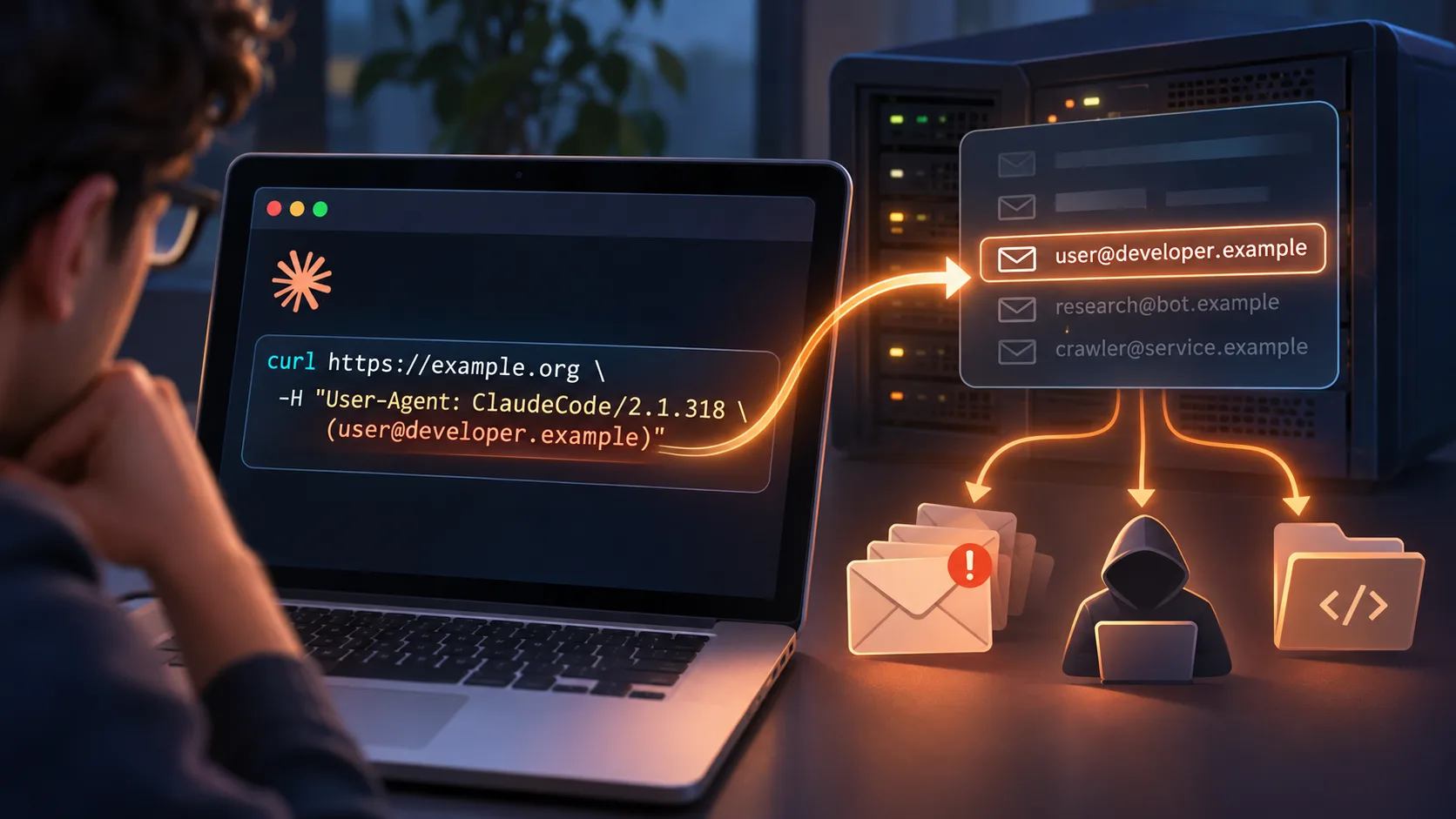
AI agents can leak personal information without anyone asking them to. In November 2026, a Claude Code issue showed the agent putting a developer’s account email in HTTP User-Agent headers when websites asked automated visitors to identify themselves. Filters on outgoing commands help, but keeping unneeded personal data out of the model’s context is the stronger fix. This post includes a read-only prompt for auditing your own Claude Code logs.
A developer asks Claude Code to research something online. Claude hits a website that wants automated visitors to identify themselves, and, trying to be helpful, includes the developer’s personal email address in the HTTP request.
Nobody asked it to share that. The website never needed to know who owned the Claude account. But the address may now be sitting in a third-party server log, possibly next to the project name, the IP address, and what was being researched.
This came up as Claude Code GitHub issue #107757, reported November 5, 2026. It’s a clean example of an AI agent creating a privacy problem without anyone telling it to do anything malicious.
The User-Agent header has been around for decades. It identifies the software making a request, a browser or a crawler or an automated script. Something like User-Agent: ExampleResearchBot/1.0.
Some sites, Wikipedia among them, encourage or require automated clients to identify themselves and leave contact info. The reasoning is fair. Operators need a way to spot abusive traffic, reach a developer whose script is causing problems, and tell legitimate research apart from anonymous scraping. A well-behaved bot might identify itself with a contact address that belongs to the organization running it, provided for exactly that purpose.
The trouble starts when the agent swaps the user’s personal identity in for the identity of the software making the request.
What actually happened with Claude Code is telling. The developer who filed the issue reported that Claude Code had been putting their email address in User-Agent headers during web research, and said they were now getting dozens of scam emails a day, which they attribute to the exposure.
Anthropic acknowledged the underlying behaviour. The account email address had been made available in the model’s context so it could identify the user correctly in cases like generating author information. But that same context was around when Claude built commands to talk to websites. When a site asked for contact info, Claude could construct a curl command containing the user’s address.
So the model wasn’t ignoring instructions or deliberately leaking anything. It was using what it had in front of it to satisfy what it read as a website’s requirement. That’s what makes the incident worth paying attention to.
An email address in a User-Agent header sounds minor. But HTTP requests get logged, retained, analyzed and shared by site operators and their infrastructure providers. The risks are real and they don’t stop at the address itself.
Identity and activity get linked. A site that gets an identified request can tie a person’s email to specific queries, URLs, timestamps and IP addresses. Project confidentiality suffers too. Developers have reported Claude-generated requests carrying project or application names alongside their email, which can reveal what someone is building or researching, including for a client. And once identifying information reaches an external server, you generally can’t control how long it’s kept or whether it shows up in downstream analytics and security logs. Then there’s spam and phishing as a possible consequence, though the original reporter’s increase in spam hasn’t been conclusively tied to this.
The bigger point sits underneath all of that. Information given for one legitimate purpose can get repurposed for another without the user knowing. A model knowing your email so it can fill an author field is not the same as permission to disclose it to an outside site.
Anthropic built in a safeguard called cc-plugin-privacy, in Claude Code version 2.1.317 and later. It’s meant to intercept certain commands that might disclose the user’s email. But developers have reported cases where it didn’t block expected commands, and the Claude Code team has acknowledged that agent-generated scripts can get around some of the protections. Anthropic also says it plans to remove account email from the model’s context entirely, which addresses the actual source of this particular leak.
That’s the right distinction. A filter that tries to catch sensitive information in outgoing commands is useful, but keeping unnecessary personal information out of the model’s context in the first place is a stronger place to start.
If you’ve been using Claude Code, you can ask it to look through its local session history for evidence of accidental disclosure. Session records are stored locally, including under ~/.claude/projects/. They can show commands the agent generated and ran, though they can’t always prove an external server actually received anything.
The prompt below instructs Claude Code to do a read-only check. Copy and paste it into a new session:
Investigate whether my Claude Code installation has
inadvertently disclosed my email address, personal
information, project names, or other sensitive data
to third-party websites.

Reference:
https://github.com/anthropics/claude-code/issues/107757

1. ENVIRONMENT
- Identify my installed Claude Code version.
- Check whether cc-plugin-privacy is installed and enabled.
- Review relevant network permissions, hooks, and plugins.

2. HISTORICAL AUDIT
Examine local Claude Code session logs, including:
~/.claude/projects/**/*.jsonl

Search for:
- Account email addresses in HTTP User-Agent headers.
- Email addresses in curl, wget, Python requests,
  JavaScript fetch, or other HTTP commands.
- Project names, client names, and sensitive metadata
  included in outbound HTTP headers.
- Agent-generated scripts containing identifying data.
- Relevant Bash, WebFetch, and MCP tool calls.

3. EXPOSURE ANALYSIS
For each suspected disclosure, identify:
- Date and time
- Project and session
- Tool or command responsible
- Destination domain
- Type of information exposed
- Whether the command actually executed
- Evidence of successful transmission
- Supporting local log reference

Distinguish confirmed exposure from suspected exposure.
Redact personal information in all results.

4. SAFEGUARD REVIEW
Review the documented privacy safeguard:
https://github.com/anthropics/claude-code/tree/main/mods/privacy

Identify potential gaps involving shell commands,
generated scripts, HTTP libraries, and MCP tools.

5. REPORT
Produce a Markdown report containing:
- Executive summary
- Number of sessions examined
- Confirmed and suspected disclosures
- Affected projects and destination domains
- Timeline of incidents
- Privacy safeguard status
- Recommended remediation steps
- Limitations of the investigation

IMPORTANT:
This is a read-only investigation.
Do not modify or delete logs.
Do not install or update software.
Do not change permissions or settings.
Do not transmit personal information externally.
Do not perform live network tests.
Do not upload or commit the report.
Use existing local evidence only.
Treat the results as a first pass, not proof. A generated command isn’t necessarily an executed command, and an executed command doesn’t mean the destination received anything. For sensitive projects, look over the logs yourself.
Here is the question this raises, and it only gets bigger as agents get handed more tools, accounts, documents and services. Just because an agent knows something, should it be allowed to share it?
Traditional software has explicit rules about which information goes to which destination. Autonomous agents put another decision-maker in the middle: a model reading goals, instructions, site policies and whatever context it has. It can make a locally sensible call that violates a broader privacy expectation.
You can’t fix that by telling agents to be careful. You need hard boundaries between personal identity, project context and outbound communications. For agents, privacy has to be an architectural constraint, not another line in the prompt.
Something as ordinary as an HTTP User-Agent header shows how much of that work is still ahead.
Frequently Asked Questions
What happened with Claude Code and User-Agent headers?
A developer reported in GitHub issue #107757, on November 5, 2026, that Claude Code had been putting their email address in User-Agent headers during web research. Anthropic acknowledged the account email had been in the model’s context for things like author information, and Claude could use it when a website asked automated visitors for contact details.
Why does an email address in a User-Agent header matter?
Websites and their infrastructure providers log HTTP requests. An identified request can tie your email to the URLs, queries, timestamps and IP address involved, and sometimes to a project name. Once it’s on someone else’s server, you can’t control how long it’s kept or where it ends up.
Does cc-plugin-privacy fix the problem?
It helps. The safeguard, in Claude Code 2.1.317 and later, intercepts some commands that might disclose your email. Developers have reported cases it missed, and agent-generated scripts can get around some of the protections. Anthropic says it plans to remove account email from the model’s context entirely.
How can I check whether Claude Code exposed my email?
Ask Claude Code to search its local session logs under ~/.claude/projects/ using the read-only prompt in this post. Treat the results as a first pass. A generated command isn’t necessarily an executed one, and an executed one doesn’t prove a server received anything.
